

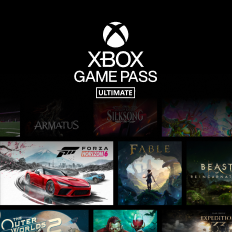
Xbox Ultimate Game Pass Gift Card
Buy Xbox Ultimate Game Pass gift voucher online · Instant delivery · Pay from your Bill Bazaar wallet
6.5% Cashback Instant voucher · 30-day cashback Online
About Xbox Ultimate Game Pass
Unlock a world of gaming with Xbox Game Pass gift vouchers on Hubble. Choose from Core, Premium, or Ultimate to enjoy access to hundreds of high-quality games—perfect for gifting endless play and entertainment.
How to use your Xbox Ultimate Game Pass gift card
Online
- 1Sign in to your Xbox console (make sure you’re signed in with the Microsoft account you want to redeem the code with).
- 2From the Home screen, select and open the Store app. (If the Store app is not displayed, go to My games & apps, select Apps, and select the Store app from there.)
- 3In the Store app, move the cursor left or press the View button on the controller to open the side menu
- 4From that menu, select Redeem.
- 5Enter the 25-character code, and then follow the prompts. Don’t worry about hyphens, the system takes care of those for you.
💡 After purchase, your voucher code appears instantly in My Vouchers. Keep it safe — treat the code like cash.
Terms & conditions
- Comes with lifetime validity and can be redeemed at an Xbox console by logging in with your Microsoft account.
- Game catalog varies over time, by region, and by device
- Requires Windows 10/11 (with updates); excludes S Mode and ARM devices.
- See xbox.com/pcgamepass and ea.com/ea-play/terms and ea.com/ea-play for details
- Requires: Download(s), apps, significant storage, broadband (fees may apply), and a Microsoft account.
- Users must be Indian residents. Code valid only in India.
- No returns and no refunds on Gift cards, E-Gift cards, and E-Gift vouchers.